

beIN Connect is our streaming app that allows you to stream all the channels included in your beIN STREAM package on your smartphone, tablet, or computer anywhere and anytime.
FAQ Category: beIN CONNECT
stream-support-bein-connect
Can I watch on multiple device simultaneously ?
No, simultaneous streaming is not supported on beIN Connect. This is to ensure the best streaming quality for all our users.
How to cast from beIN CONNECT to TV?
beIN CONNECT supports Chromecast and Apple TV AirPlay casting.
Chromecast (for iOS and Android)
When the video is playing on your device, click on the icon as shown on the below screenshot and select your Chromecast device. Please make sure your device and Chromecast are connected to the same network. Please note for iOS, the app needs access to “Local Network”. Local network access for beIN CONNECT can be enabled in the iOS setting.
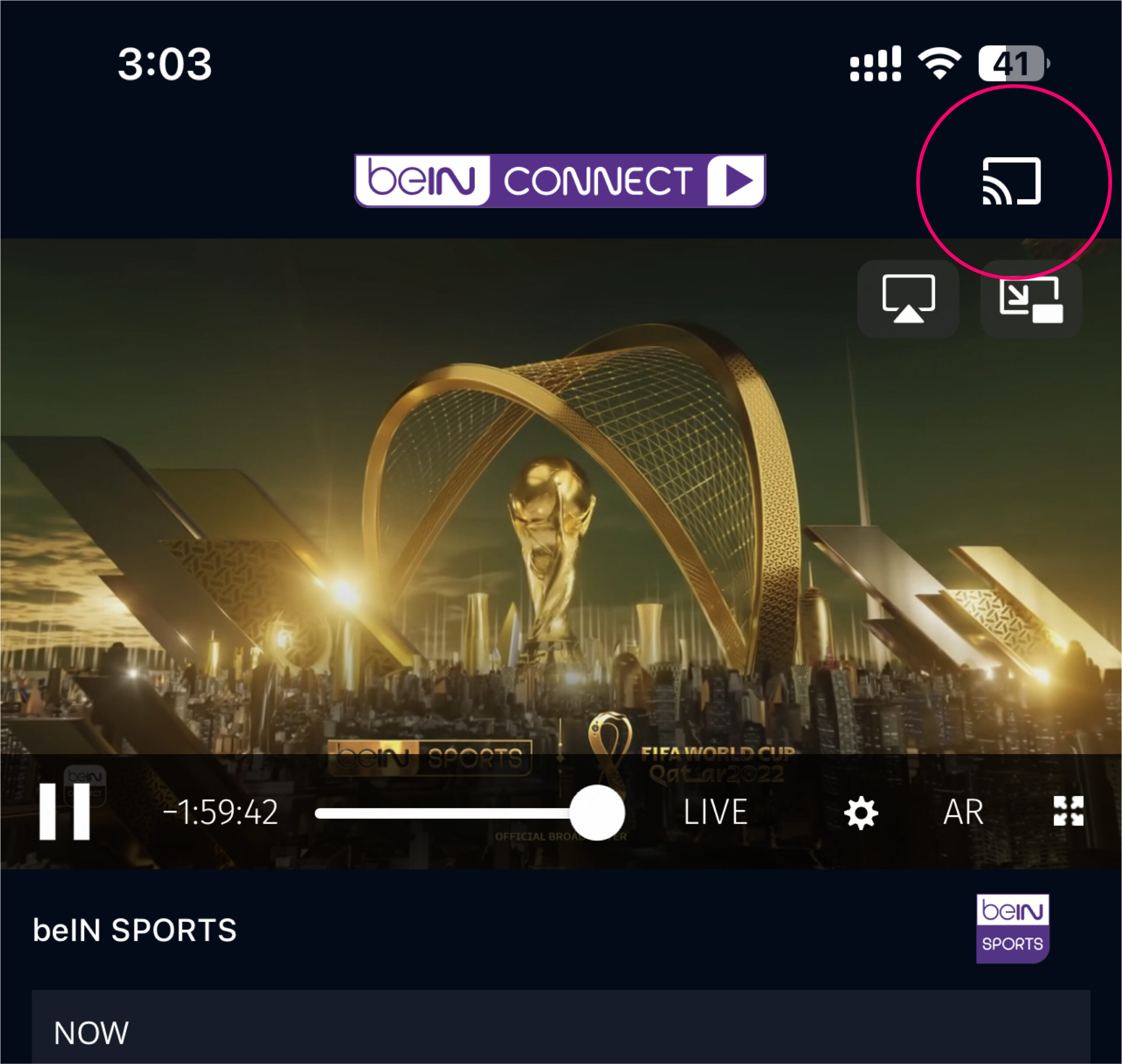
For more info about casting to Chromecast, please visit : Google page
Apple TV /AirPlay (for iOS only)
When the video is playing on your device, click on the icon as shown on the below screenshot and select your Apple TV device. Please make sure your device and Apple TV are connected to the same network.
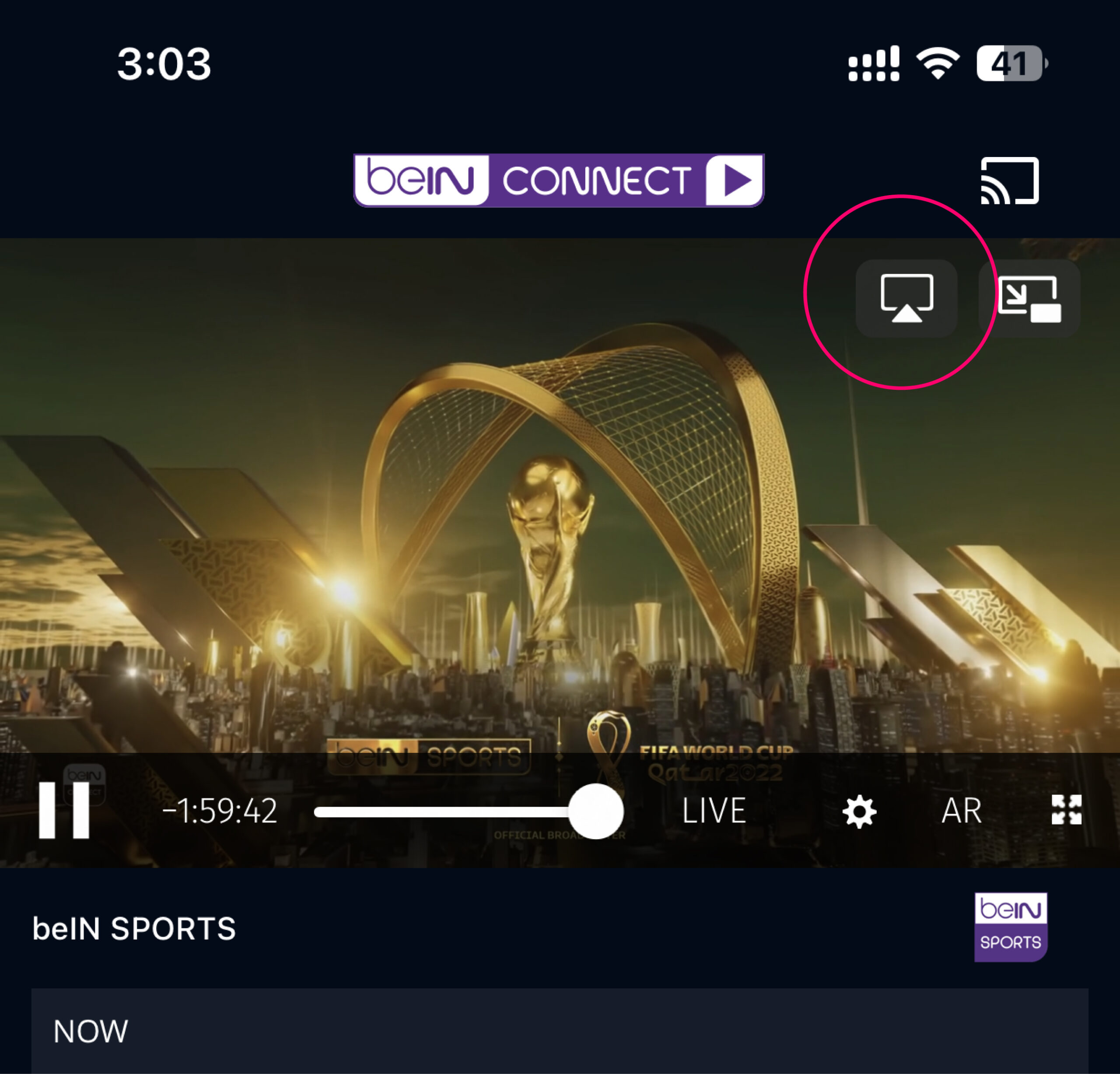
For more info about casting to AirPlay, please visit : Apple Page
What is the streaming quality of the channels?
Our channels are streamed in full HD. The quality of the stream largely depends on the connection speed you receive from your Internet Service Provider (ISP) and on the device you are using. We provide the stream at various speeds (bit rates) which will be picked up from your broadband speed along with the processor speed of your computer.
On which devices can I enjoy Live streaming through beIN CONNECT?
On your computer/laptop, you can enjoy beIN CONNECT service
- PC: Edge and/or Firefox / google Chrome
- Mac: Safari and/or Firefox / google Chrome
Or on your smart phone and tablet devices:
What are the compatible iOS devices with beIN CONNECT?
beIN CONNECT is compatible with:
- iOS 12 and above